
One platform, from a single unit to 301+
Self-serve, with role-based access for owners, managers and maintenance staff. Start with the features below — open any card for details — then see what’s coming soon.
What Sillstead does
Online rent payments
Coming soon. Collect rent online by ACH or card, with an optional $2 tenant ACH fee.
Details about Online rent paymentsTenant screening
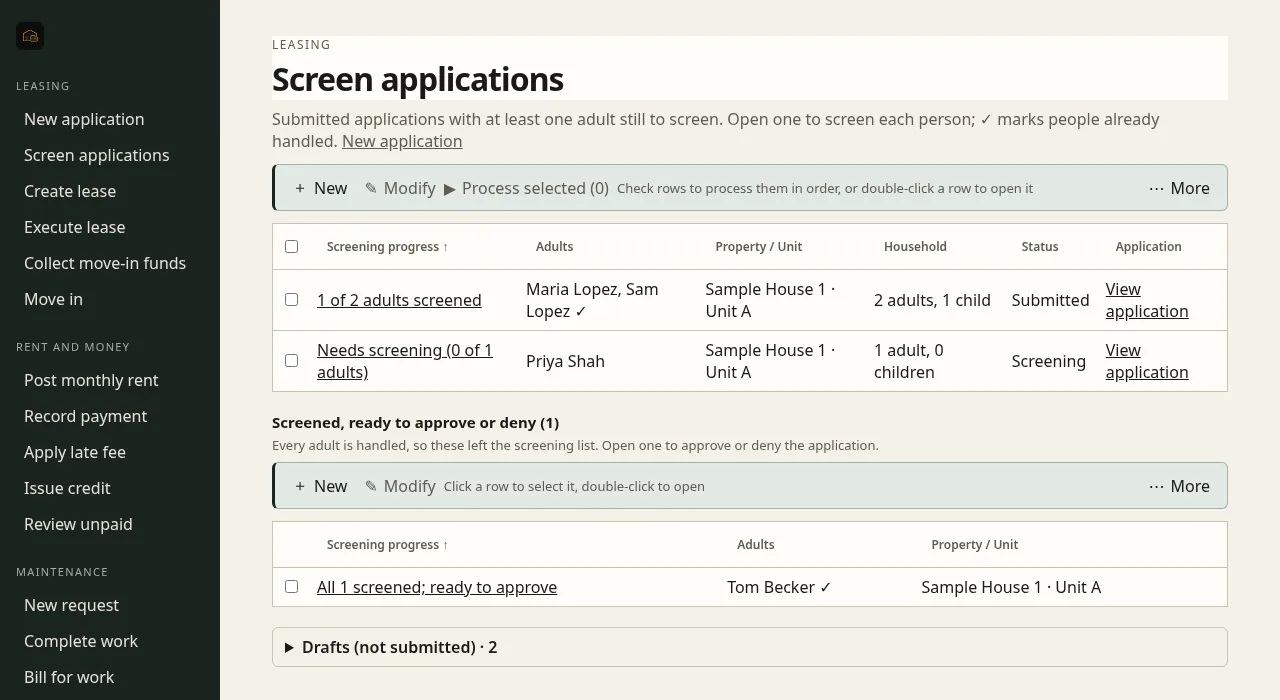
Pay per report, no access fee. Industry-leading, FCRA-compliant screening inside the app.
Details about Tenant screeningTenants, leases & e-sign
Tenant and lease records, lease templates, and e-signature through your own service.
Details about Tenants, leases & e-signMaintenance & unit turns
Requests, work orders, move-out checklists by role and unit status tracking.
Details about Maintenance & unit turnsRenters insurance
Offer renters insurance to tenants at lease signing.
Details about Renters insuranceCommunications
Text and email announcements, and email leases straight from the record.
Details about CommunicationsInspections & move-in
Record keys, meter readings, notes and condition photos at move-in.
Details about Inspections & move-inDocument storage
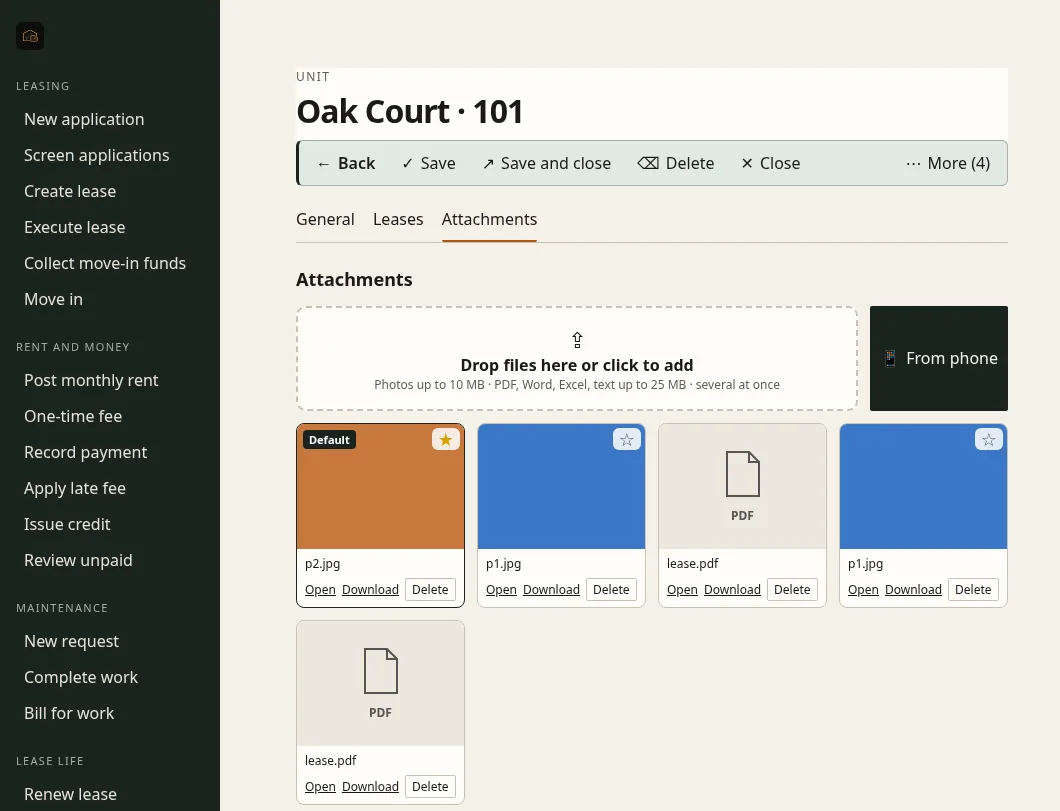
Keep leases, photos and files on the property, unit and lease they belong to.
Details about Document storageComing soonTenant portal
Coming soon. Tenants pay rent and send repair requests in one place.
Details about Tenant portalAlso included
Role-based access for owners, managers and staff · credit reporting · unit turns & checklists.
See every unit at a glance
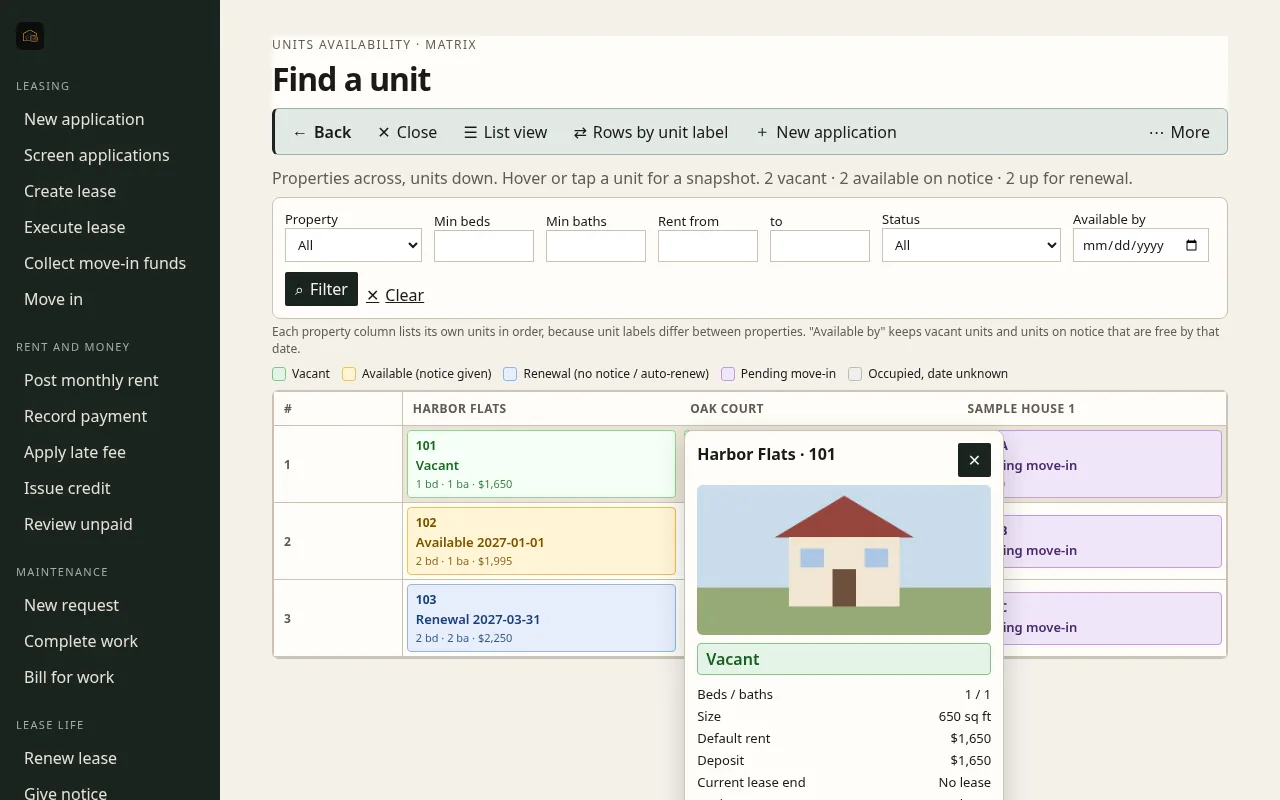
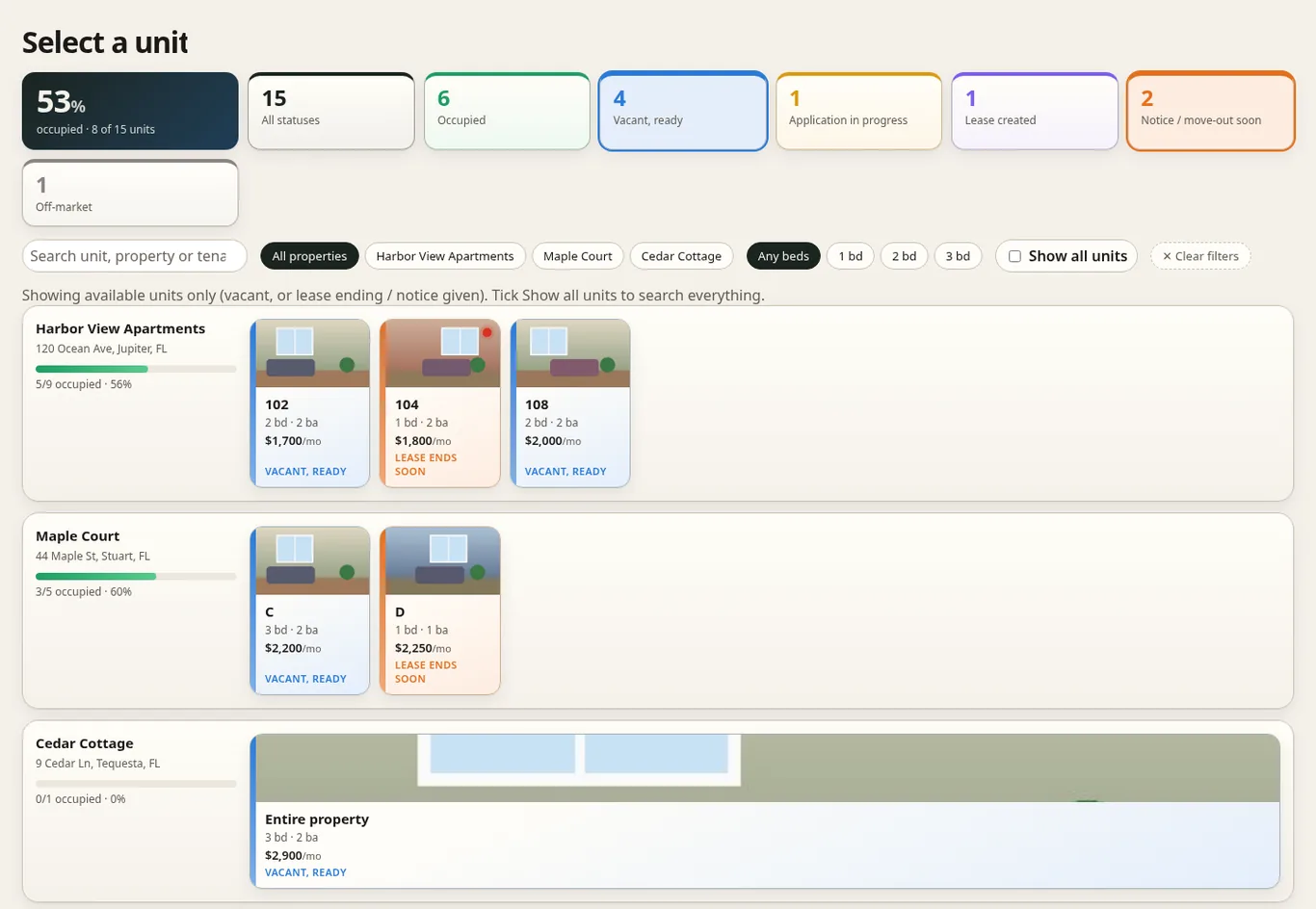
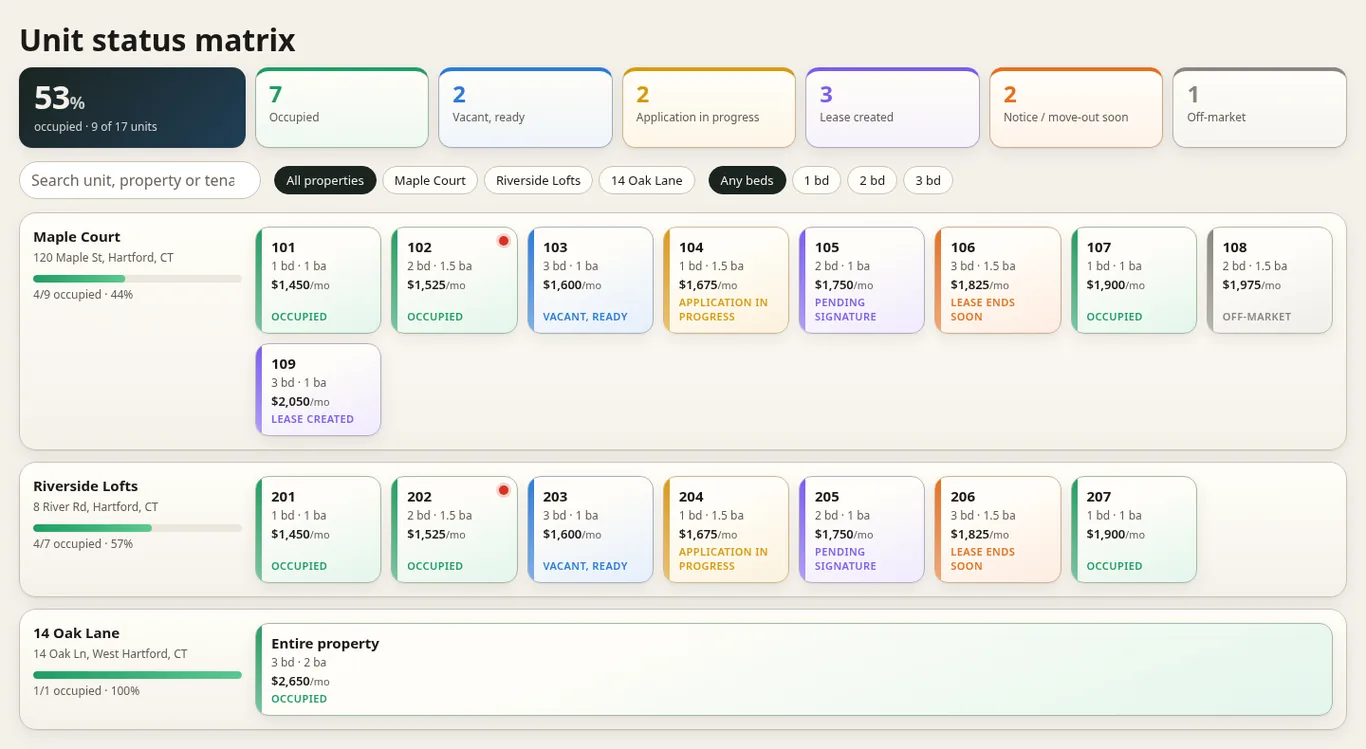
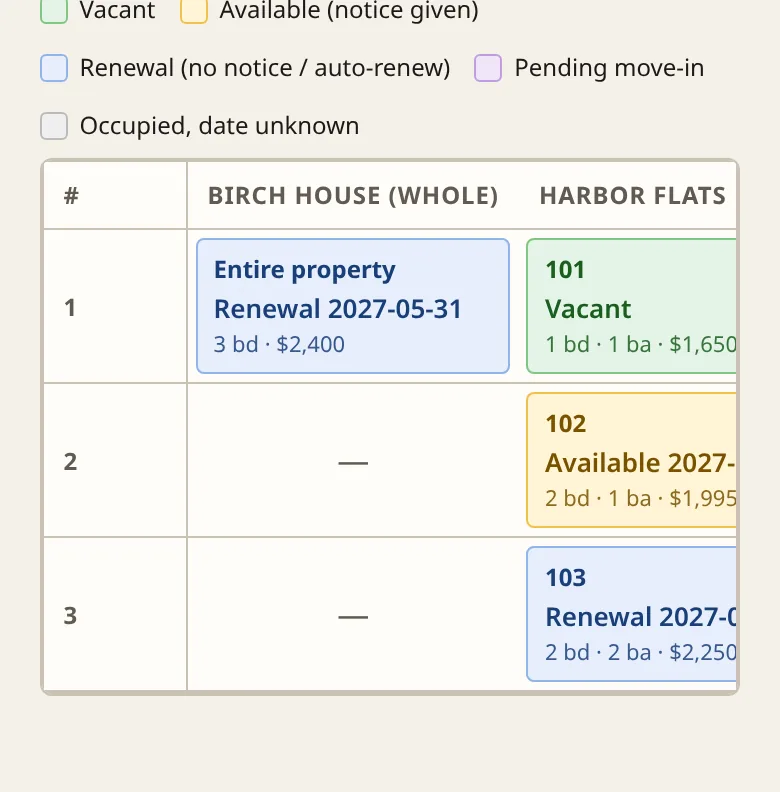
Every property and unit on one screen, color-coded by status.
- Status colors. Occupied, vacant and ready, application in progress, lease created, lease ending soon and off-market — with occupancy for each property.
- Hover snapshot. Hover or tap a unit to see its photo, beds and baths, size, rent, deposit, current lease end and notice.
- Pick a unit. Choose the unit for a new application right from the matrix, or start an application from a unit’s snapshot.
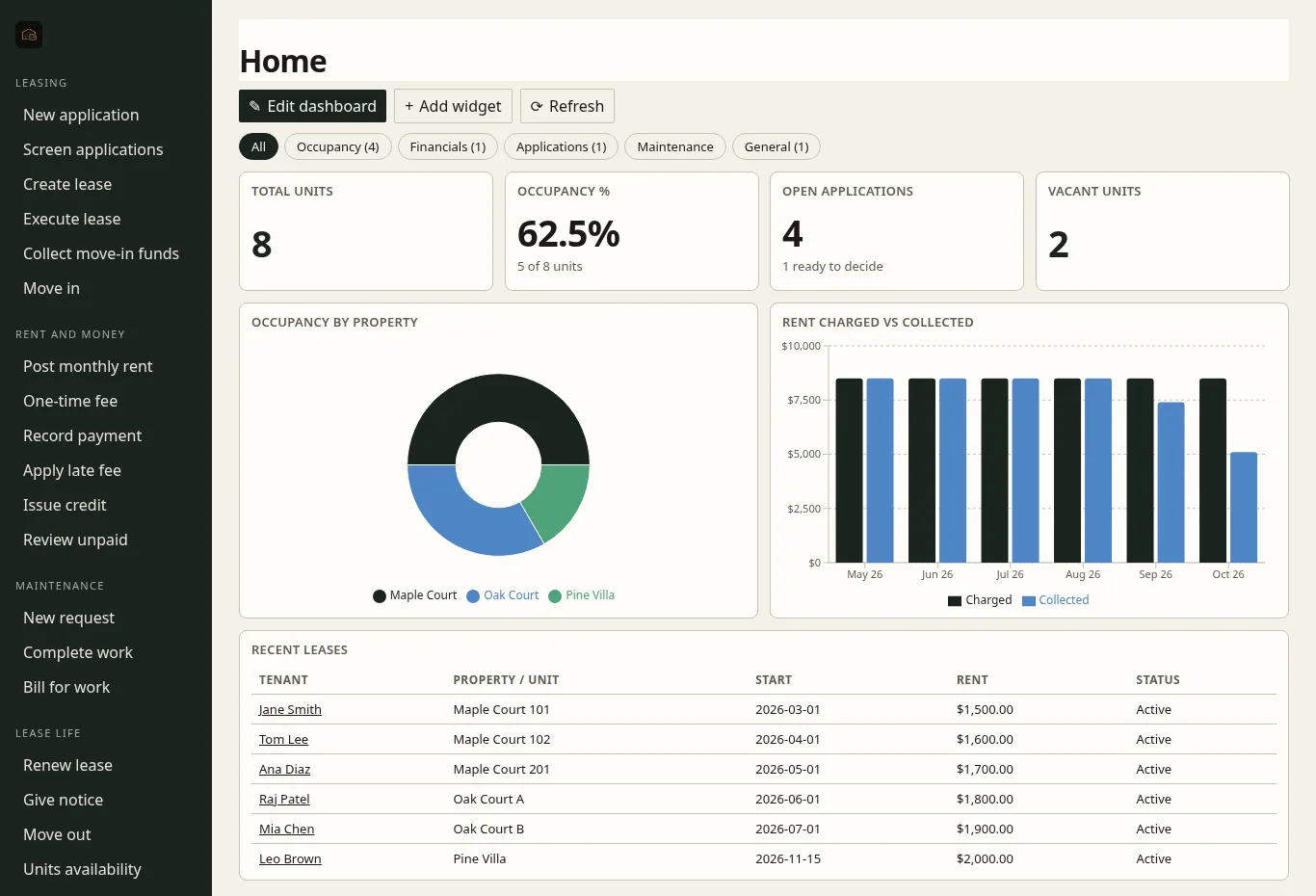
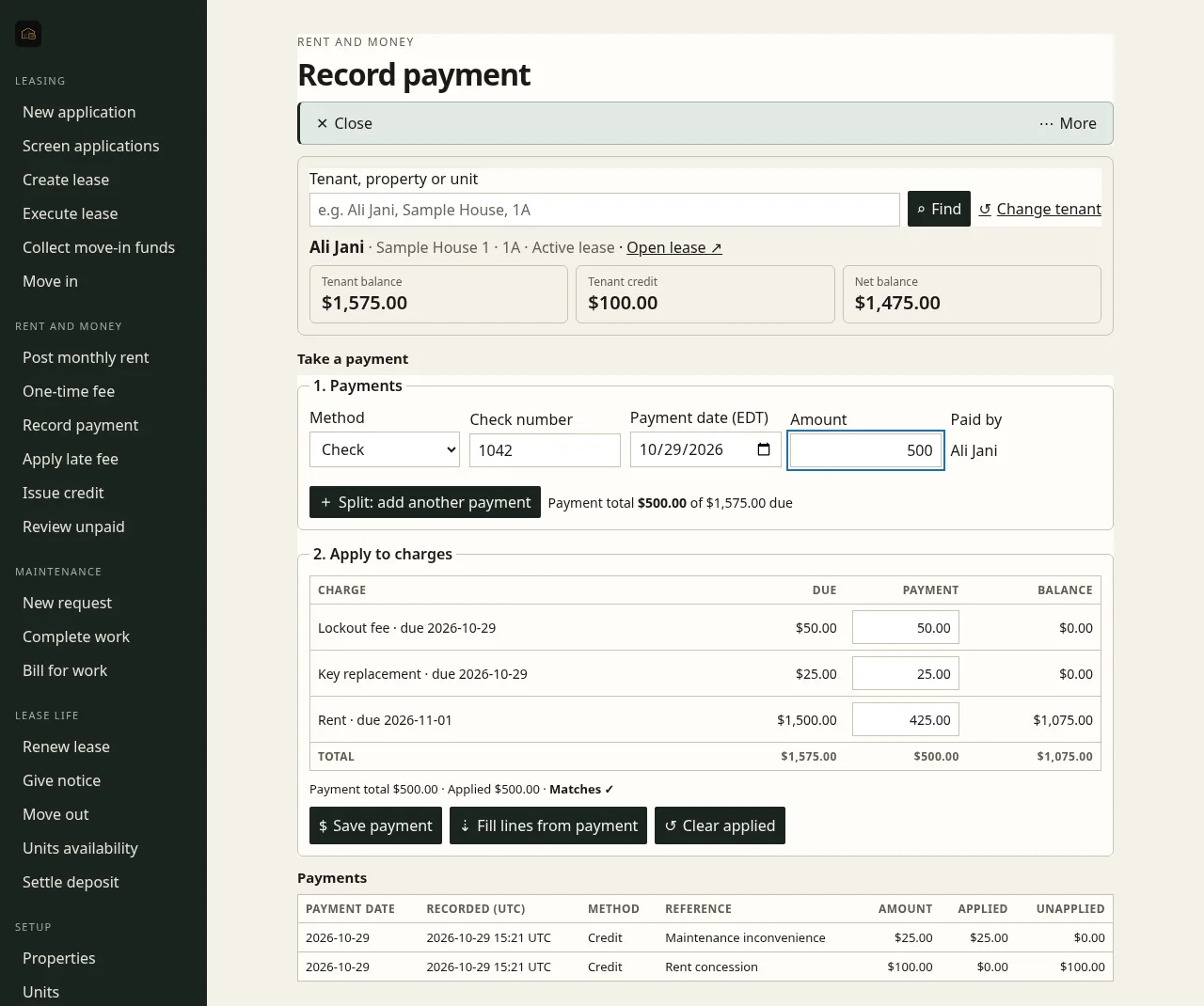
A look at the screens
Coming soon
We’re building these next. They aren’t available yet, and we haven’t set dates.
QuickBooks integration
Sync charges, payments and expenses to QuickBooks.
Listings & syndication
Post vacancies to Apartments.com-type listing sites.
Accounting
Owner ledgers, trust accounting and bank reconciliation.
Accounts payable
Enter vendor bills and pay vendors.
Owner billing & payouts
For property managers: management fees, leasing and renewal fees, maintenance markups, owner payouts and reserves.
Owner portal
For property managers: owners log in to see statements, payouts and reserves.
Vendor management
Vendor dispatch and preventive maintenance.
Reporting & tax docs
Schedule E reports and 1099s.
Native mobile apps
iOS and Android apps for landlords and tenants.
AI leasing assistant
Replies to rental inquiries around the clock and schedules showings.
AI lease review & drafting
Reviews leases and drafts documents.
Smart locks & self-guided showings
Smart-home and smart-lock integrations for self-guided tours.
Utility billing & RUBS
Bill back utilities by sub-meter or ratio utility billing.
Rent analytics & pricing
Market-rent comparisons and pricing suggestions.
Late fees & evictions
Late-fee rules and eviction workflow tracking.
HOA / association management
Tools for HOAs and community associations.
Short- & mid-term rentals
Support for short-term and mid-term stays.
Tenant rewards & credit building
Rewards for on-time rent; tenants build credit.
Open API & marketplace
An open API and an integrations marketplace.
Be one of the first landlords on Sillstead
Early access is open. Join the list and we’ll reach out when we’re ready.